Connect Instantly to Outreach Magic
Webhook setup guide for unified email + LinkedIn outreach analytics
Connecting Instantly to Outreach Magic via webhook ensures your outreach data flows into one unified timeline—email + LinkedIn—without manual CSV merges. This setup enables:
- Real-time analytics and reporting
- Attribution clarity across channels
- Multichannel reporting in a single dashboard
- Unified timeline view of all outreach activities
Webhook
https://webhooks.outreachmagic.io/instantly?token={{YOUR_TOKEN}}Get your token from the Instantly integrations page in Outreach Magic.
Setup Instructions
Follow these step-by-step instructions to connect Instantly to Outreach Magic via webhook.
- 1
- 2
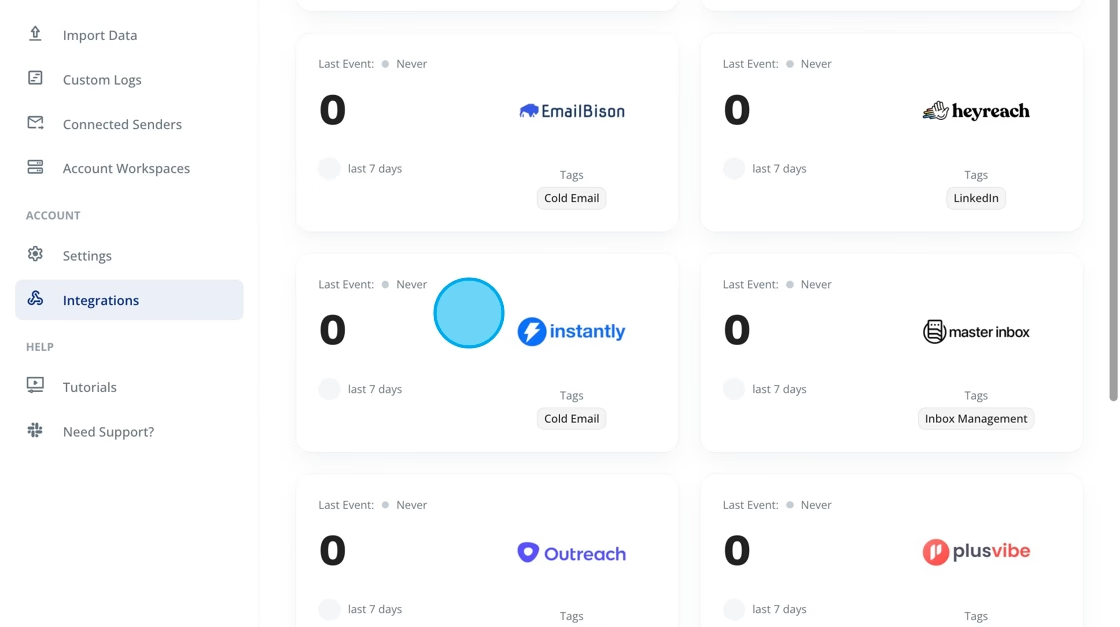
Select "Instantly"
Click the Instantly integration tile on the integrations page.
- 3
Copy Your Webhook URL
Click "Copy Webhook URL" to copy your unique Outreach Magic webhook endpoint. This URL is specific to your account and will be used to receive events from Instantly.
Keep this webhook URL secure. It's unique to your Outreach Magic account and will be used to authenticate incoming events from Instantly.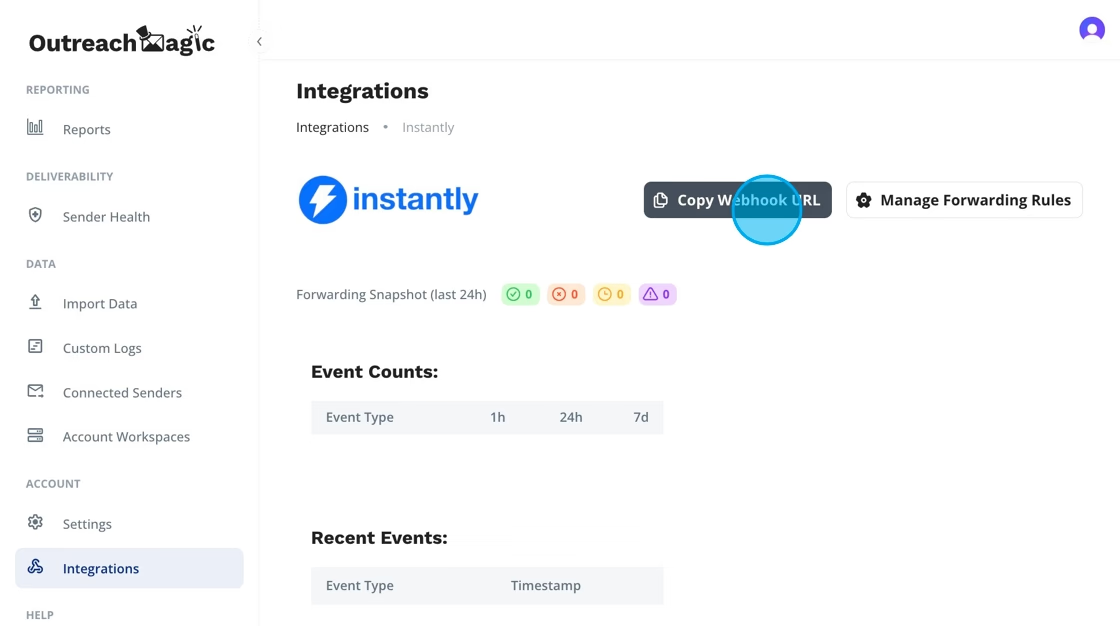
- 4
Open Instantly → Integrations → Webhooks
Inside Instantly, navigate to the webhooks section:
Settings → Integrations → Webhooks → Add Webhook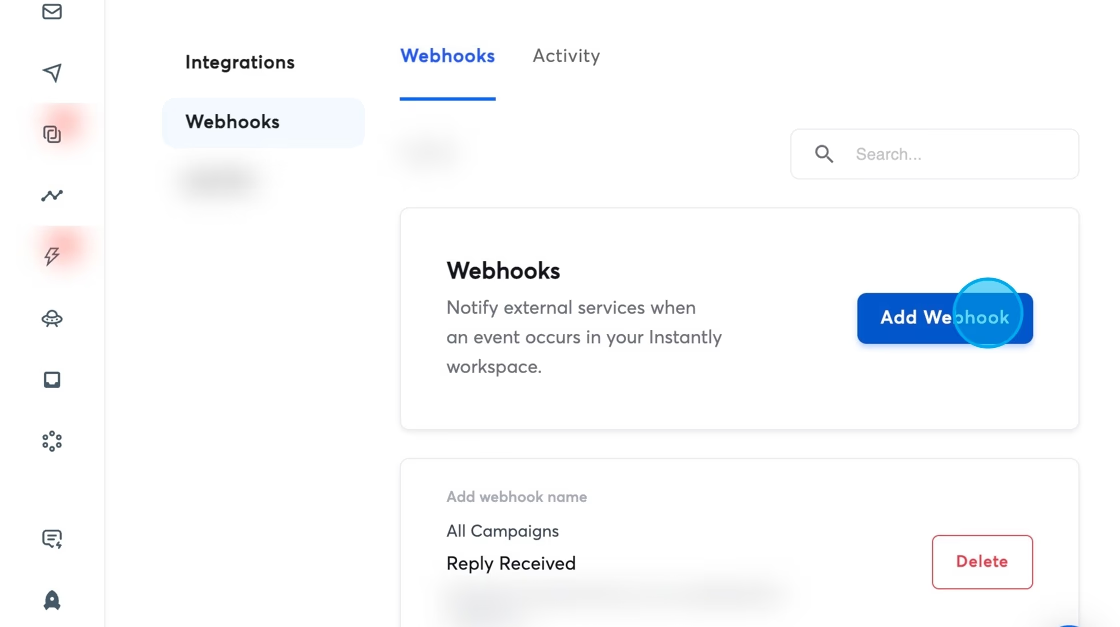
- 5
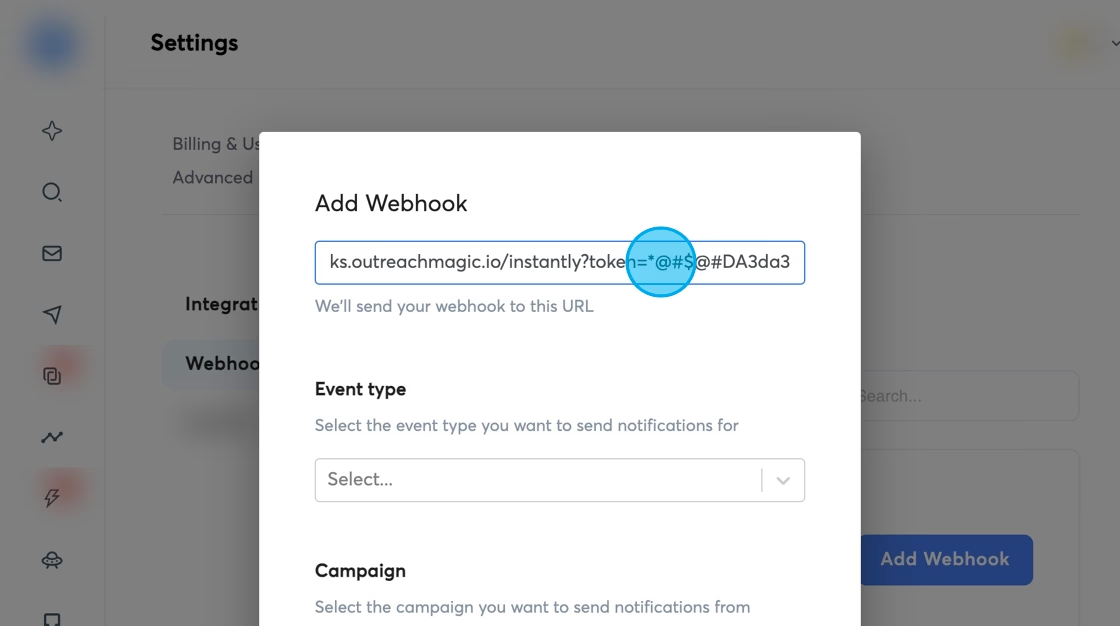
Paste Your Webhook URL
Insert the Outreach Magic webhook URL you copied earlier into the webhook URL field in Instantly.
- 6
Select "All Events"
This ensures Outreach Magic receives every relevant event for unified reporting. Selecting all events allows for complete analytics and attribution tracking.
Selecting "All Events" ensures comprehensive data flow. Outreach Magic will filter and process only the relevant events for your reporting.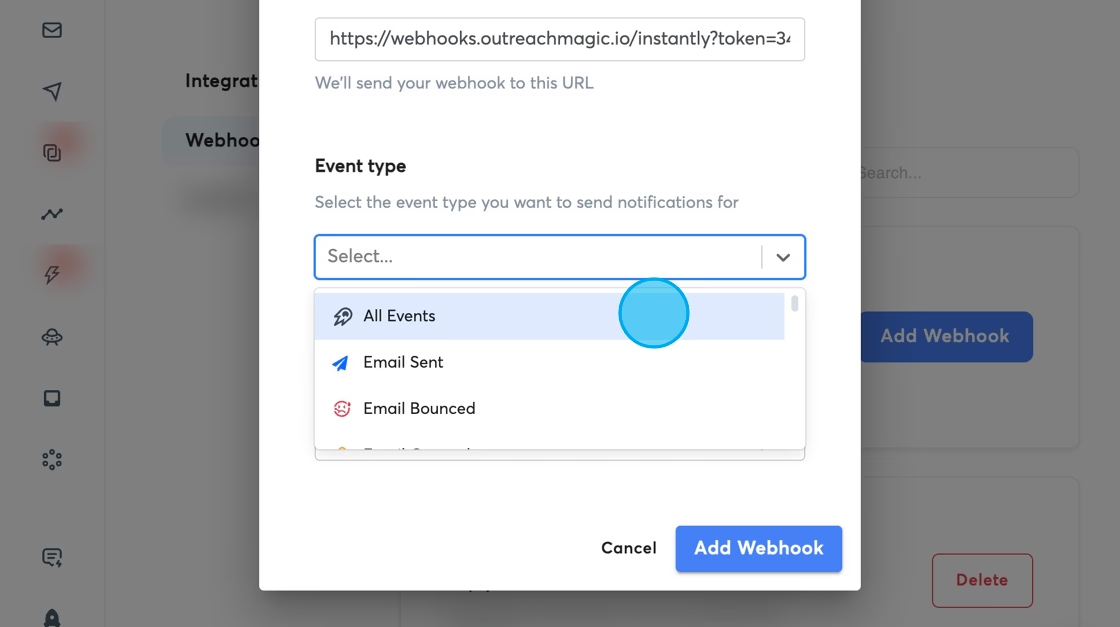
- 7
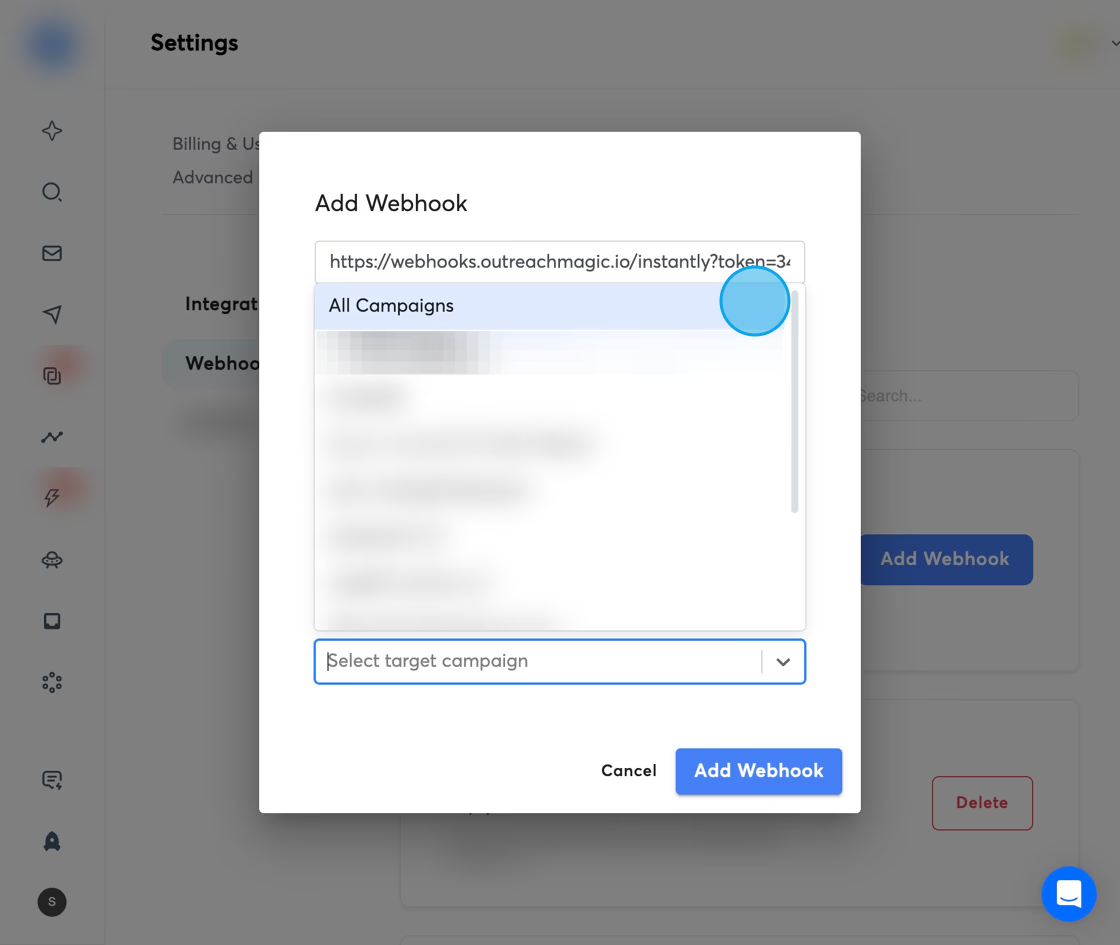
Select "All Campaigns"
This allows tracking across every campaign—crucial for complete analytics. By selecting all campaigns, you ensure that Outreach Magic receives data from all your Instantly campaigns for unified reporting.
- 8
Click "Add Webhook" to Finalize
Your Instantly → Outreach Magic connection is now active. Events will start flowing into Outreach Magic automatically.
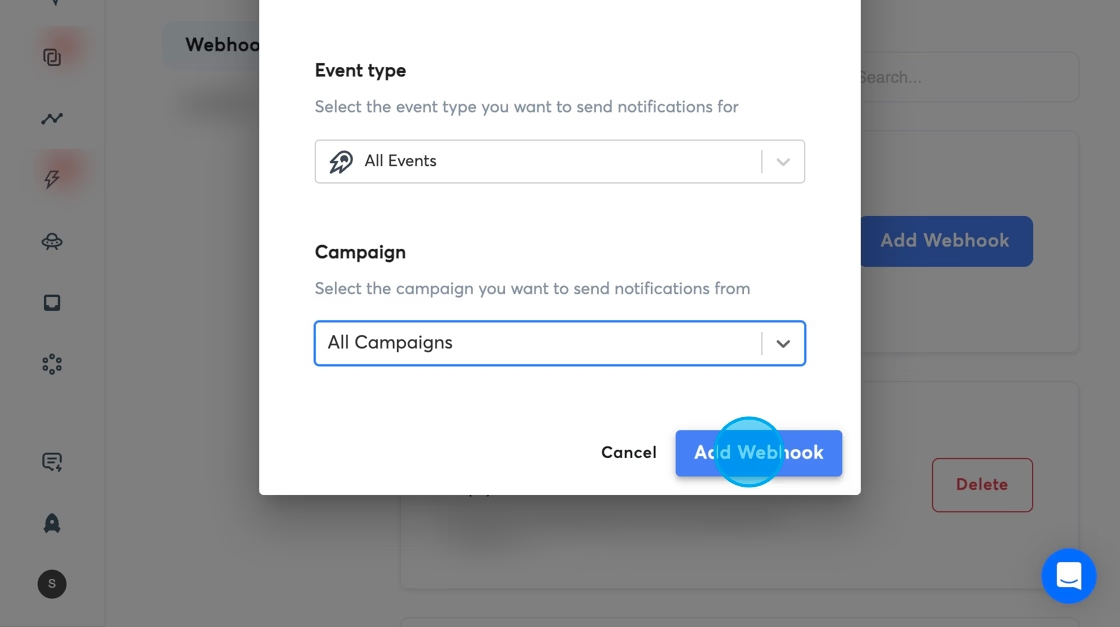 Connection Active! Your webhook is now configured. Instantly events will automatically sync to Outreach Magic for unified reporting.
 - 9
Verify Events Are Coming Through
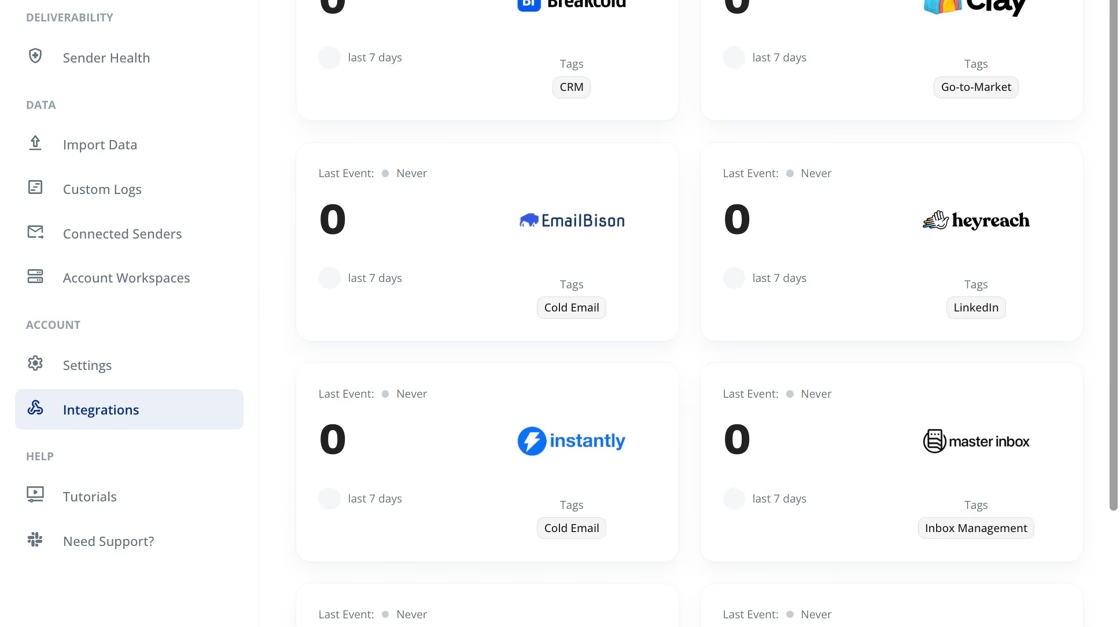
To ensure your webhook is working correctly, navigate to the integrations page in Outreach Magic and select the Instantly integration to monitor events in real-time.
What to look for: After sending a test email or triggering an event in Instantly, you should see new events appear on the integration page within a few seconds. This confirms your webhook is receiving data correctly.
What Happens Next
Automatic Data Sync
Once configured, Instantly will automatically send events to Outreach Magic in real-time. No manual CSV exports or merges needed.
Unified Timeline
Your email outreach from Instantly will appear alongside LinkedIn activities in a single, unified timeline in Outreach Magic.
Real-Time Analytics
Access real-time analytics, deliverability diagnostics, and multichannel reporting as events flow into Outreach Magic.
Attribution Clarity
Get clear attribution across email and LinkedIn channels, helping you understand which channels drive the best results.
Troubleshooting
Events Not Appearing in Outreach Magic
- • Verify the webhook URL was copied correctly (no extra spaces or characters)
- • Check that "All Events" and "All Campaigns" are selected in Instantly
- • Ensure the webhook is active in Instantly's webhook settings
- • Wait a few minutes for events to sync (there may be a slight delay)
Webhook URL Not Working
- • Make sure you're using the webhook URL from your Outreach Magic integrations page
- • Verify the URL starts with
https:// - • Try copying the webhook URL again from Outreach Magic
- • Check that your Outreach Magic account is active
Need Additional Help?
If you're still experiencing issues, reach out to our support team or check the Outreach Magic integrations page for additional resources.
Contact SupportReady to Connect Instantly?
Set up your webhook integration and start unifying your email + LinkedIn outreach analytics.