The n8n Reporting Audit: Why your outbound metrics rarely match the platform UI
If you’re building custom reporting with n8n (Smartlead, Instantly, HeyReach, etc.), your numbers are probably wrong. Here is a 20-minute audit to fix them.
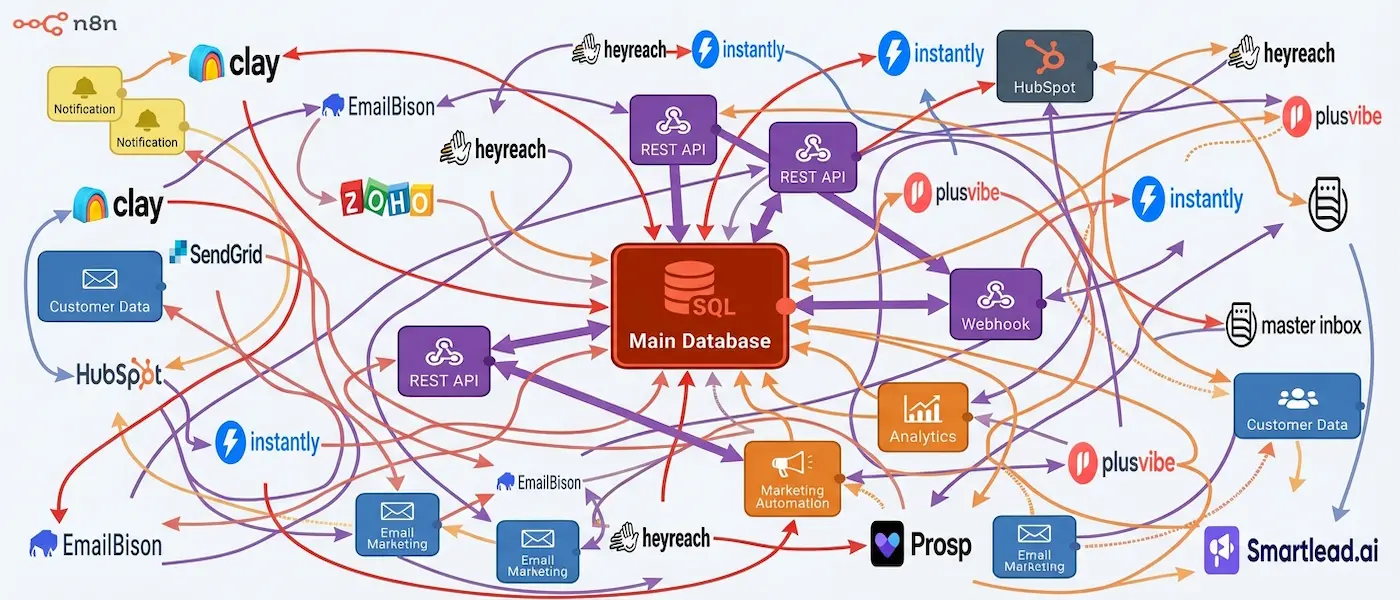
If you’re doing custom reporting with n8n (sending data to Google Sheets, Airtable, BigQuery, or Notion), there’s a decent chance your sent / replies / reply rate numbers are wrong - even if your flow technically “works.”
It’s usually not because your logic is sloppy. It’s because outbound platforms and real-world API behavior are messy.
Whether you are pulling data from Smartlead, Instantly, EmailBison, HeyReach, PlusVibe, AimFox, or Prosp, I keep running into the same 7 data discrepancies.
I wrote up a quick audit you can do in ~20 minutes to sanity-check your metrics before you show them to a client or your boss.
First: Decide exactly what you are measuring
Before you touch any n8n nodes, answer this: Do you want metrics per message or per lead?
- Per message: If one lead gets 3 messages and replies twice, you count 3 sent and 2 replies.
- Per lead: That same situation counts as 1 contacted lead and 1 replied lead.
Neither is right or wrong. But mixing them will absolutely wreck your trends and make optimizations feel random. If you’re an agency building client reporting, you usually need both: Per lead for unique reach, and per message for volume/workload.
The 7-Step Audit
1Duplicate events (The silent killer)
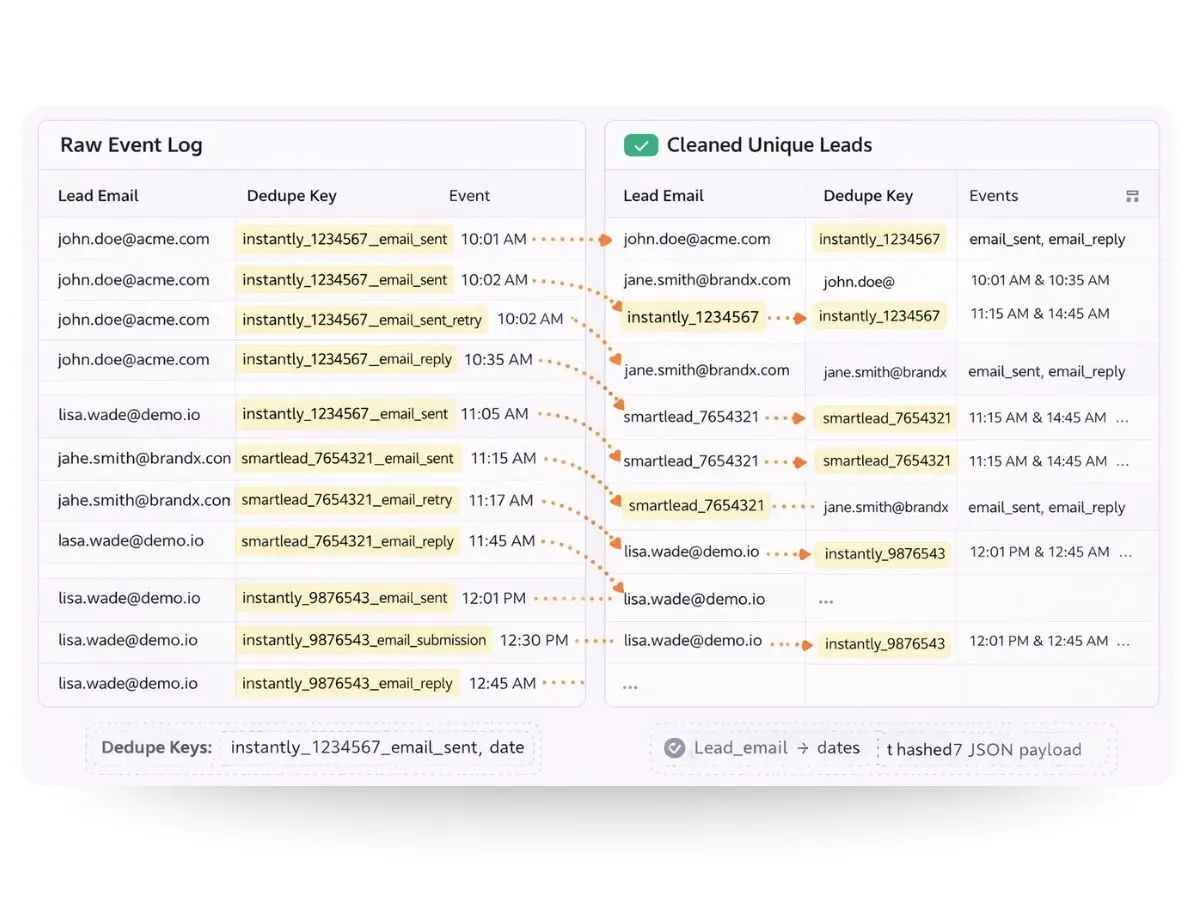
Most outbound platforms (especially heavy hitters like Smartlead or Instantly) can fire events multiple times due to retries, webhook re-deliveries, or status changes that re-emit the event.
The Audit
Pick a single lead and search your destination table (Sheets/BigQuery) for repeated events with the same timestamp and type.
The Fix
You need a Dedupe Key.
Pattern: platform_name + message_id + event_type
(Included in the universal script)
email_sent_first and email_sent for the same message.2You are counting replies wrong
Outbound replies are weird. A lead can reply multiple times, and threads often include Out of Office auto-replies.
The Audit
Take 10 leads you know replied. Compare your dashboard count vs. the Platform UI vs. the actual Inbox thread.
The Fix
Track two separate metrics: replies_total (Total volume) and replied_leads (Unique leads).
3Per-lead vs per-message mismatch
Some tools’ dashboards feel like per-lead even though their webhooks are per-event. This creates the classic confusion: "Why does my report say 45 replies but HeyReach says 38?"
4Timezone and day bucket errors
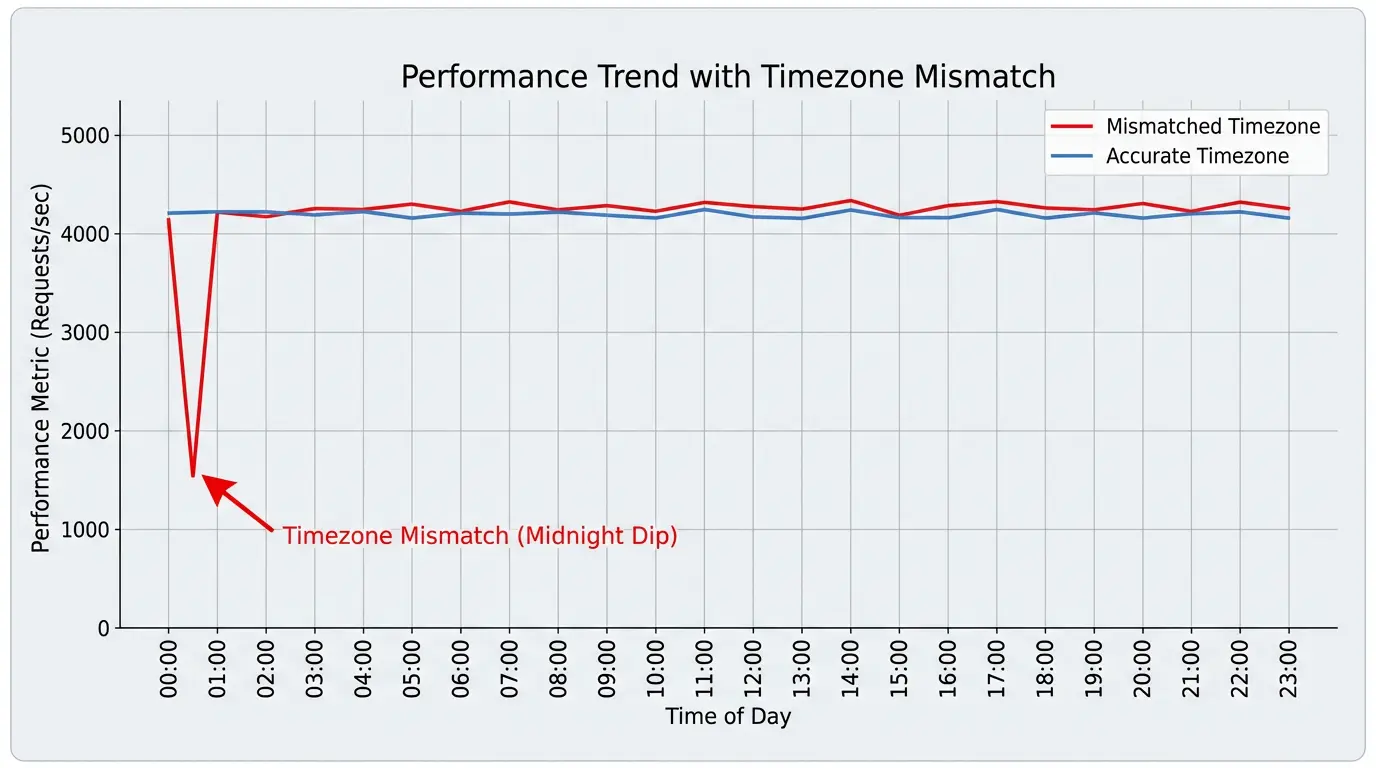
If you bucket daily metrics using the wrong timezone (e.g., UTC vs EST), you’ll swear performance “crashed” on certain days when it actually just shifted hours.
5Status updates overwriting history
A super common n8n pattern: Store one row per lead → Update row when event arrives → Try to produce daily metrics from latest state.
This breaks reporting because you lose history.
6Missing join keys (Identity Resolution)
This is the hardest part of multichannel reporting. Smartlead/Instantly identify leads by email. HeyReach/Prosp identify leads by linkedin_url.
The Fix: Create a dim_leads table
(The n8n template includes a Javascript snippet that handles this normalization automatically)
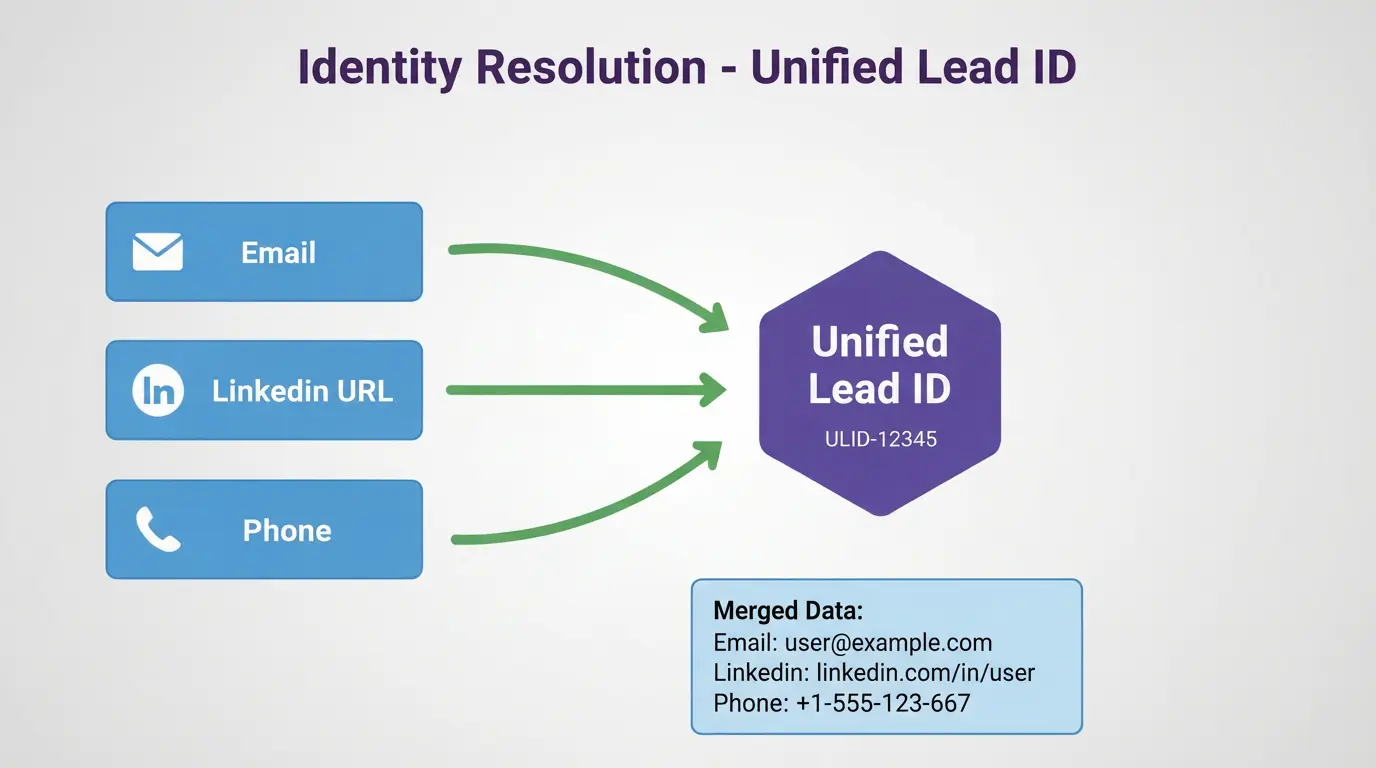
- Normalize Inputs: Lowercase emails, strip LinkedIn parameters, format phones to E.164.
- Upsert Logic: Check for match on ANY field. Create or return
unified_lead_id. - Link Events: Store the
unified_lead_idon your event rows.
7Inconsistent positive reply logic
If "positive" depends on manual tagging in one tool, and an AI classifier in another, your positive rate will wobble.
The 20-Minute Audit Checklist
- Choose per-message vs per-lead (or track both)
- Verify dedupe keys (ensure the same event isn’t counted twice)
- Confirm daily bucketing timezone
- Ensure you store events as append-only (don't just overwrite rows)
- Check for unified lead IDs (link Email/LinkedIn/Phone identities)
- Spot-check 20 replies for classification correctness
If you run this and your numbers change a lot, that’s actually good news - you just found the leak.
Want the n8n template?
Get the master workflow, universal detection script, and dashboard templates delivered to your inbox.
- The Master WorkflowCopy-paste JSON for n8n
- Universal ScriptAuto-detects Smartlead, Instantly & HeyReach
- Identity ResolutionLogic to merge Email + LinkedIn IDs
- Dashboard TemplateRead-only Google Sheet + SQL queries
Download Template
Enter your work email and we'll send the templates directly to your inbox.