Lead Tag Rules
How tags from your outreach platforms automatically set lead status and sentiment in Outreach Magic
When you set tags on leads in platforms like HeyReach, MasterInbox, Prosp, or other connected tools, those tags are saved to the lead in Outreach Magic. If a tag matches one of our predefined rules, we automatically set the lead's status and sentiment so your activity timeline and reporting stay accurate.
- Tags sync from your LinkedIn and email outreach platforms
- Matching tags automatically update lead status and sentiment
- Status and sentiment appear on the lead's activity timeline
- No manual updates needed-set the tag once in your platform
How Tag Rules Work
If the tag applied to a lead in your source platform contains any of the keywords listed in each rule below (case-insensitive), Outreach Magic sets the corresponding lead status and sentiment. The lead's activity timeline in Outreach Magic will reflect this so your team has a single source of truth.
If the tag contains any of the following: interested, hot lead, positive reply
- → Lead status is set to interested
- → Sentiment is set to positive
If the tag contains any of the following: not interested, do not contact, unsubscribe
- → Lead status is set to not interested
- → Sentiment is set to negative
If the tag contains any of the following: out of office, ooo, auto reply
- → Lead status is set to out of office
- → Sentiment is set to autoreply
If the tag contains any of the following: meeting booked, call scheduled, demo booked
- → Lead status is set to meeting booked
- → Sentiment is set to positive
If the tag contains any of the following: wrong person, wrong contact, incorrect person
- → Lead status is set to wrong person
- → Sentiment is set to negative
Setting Tags in Your Platform
In platforms like HeyReach, you can assign tags to leads (e.g. "Interested", "Meeting Booked", "Not Interested"). When those tags are sent to Outreach Magic via webhook or integration, we apply the rules above and update the lead's status and sentiment accordingly.
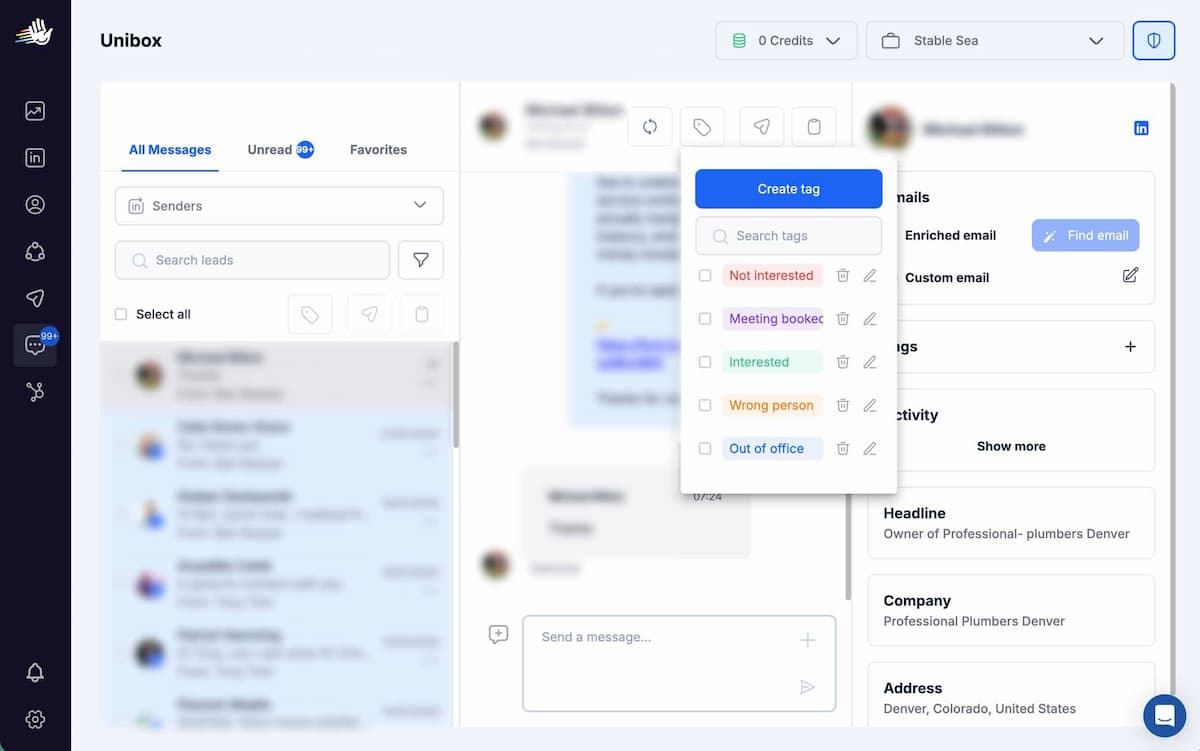
Example: Setting tags on a lead in HeyReach. These tags sync to Outreach Magic and trigger the matching lead status and sentiment.
Tags on the Activity Timeline in Outreach Magic
Once a tag matches a rule, the lead's status and sentiment appear on their activity timeline in Outreach Magic. Your team can see at a glance which leads are interested, meeting booked, not interested, out of office, or wrong contact-without switching between tools.
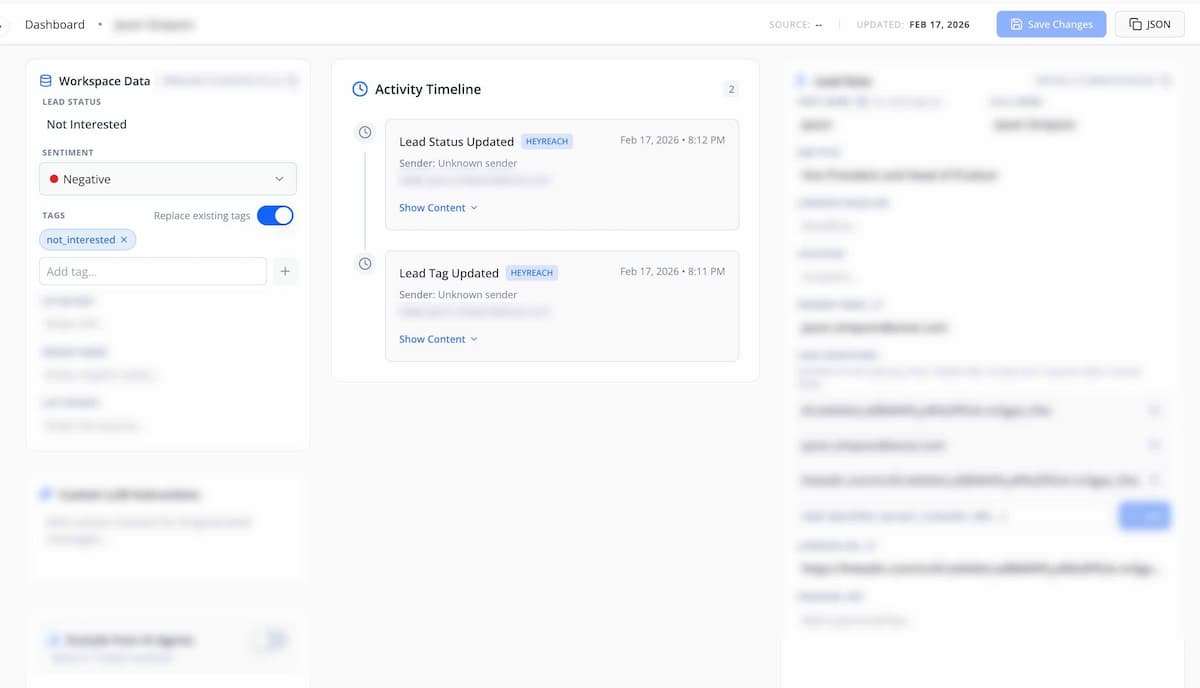
Lead status and sentiment from tags appear on the activity timeline in Outreach Magic.
Supported Platforms
Tag-based lead status and sentiment are applied when tags are sent from any connected platform that supports lead tagging and syncs with Outreach Magic, including but not limited to:
- HeyReach
- MasterInbox
- Prosp
- Other platforms that send lead tag updates via webhook or API
What You Get
Automatic Status Updates
Set a tag once in HeyReach, MasterInbox, or Prosp-Outreach Magic updates the lead status and sentiment automatically when the tag matches a rule.
Unified Activity Timeline
View lead status and sentiment alongside all outreach activity in one timeline, so your team has a single source of truth across email and LinkedIn.
Connect Your Platform
Connect HeyReach, MasterInbox, Prosp, or another supported platform to start syncing tags and lead status to Outreach Magic.
Open Integrations