
Sender Reputation: How to Improve It for Cold Email
Sender reputation drives inboxing. Learn how to reduce bounces, control volume, clean lists, and monitor reputation signals before they tank your campaigns — including how to track bounce and reply data automatically with your AI agent.
> Update: Outreach Magic is a multi-channel reporting and diagnostics platform for outbound teams. Connect Smartlead, Instantly, HeyReach, or PlusVibe with webhooks to track bounces, replies, and sender health in one place. Start free trial · Features
Key Points
- A strong sender reputation improves email deliverability, ensuring that your messages reach the inbox rather than spam.
- Regularly remove inactive email addresses. An inactive email address is like a home without a owner. No matter how good the delivery is, there will be no one to answer the door.
- Engagement is Key, Salesy content converts active audience into active buyers, but valuable informative content turns visitors into active audience. Always think about engagement before conversion. By the way, bad content will drive people away and tell ESPs like Gmail and Yahoo Mail that you are a fraud.
- Set up SPF, DKIM, and DMARC to verify your identity and prevent emails from being marked as spam. Those acronyms are authentication protocols that tell ESPs your mail is legitimate. Once authentication is in place, sync bounces and complaints via Outreach Magic so your agent can flag reputation issues early.
- Avoid flooding recipients with so much email. That’s spammy behaviour and will hurt your reputation. Don’t go silent either. Establish a sending schedule.
- Test different email versions to learn what resonates best with your audience: A/B testing helps you identify what your audience like.
Imagine spending thousands of dollars crafting the perfect email marketing campaign. You’ve invested in design, catchy subject lines, and the best email list money can buy. You hit “send” with high hopes, expecting a flood of responses and new customers. But… nothing. No replies, no clicks, and definitely no conversions. It’s baffling-until you realize the heartbreaking truth: most of your emails ended up in the spam folder.
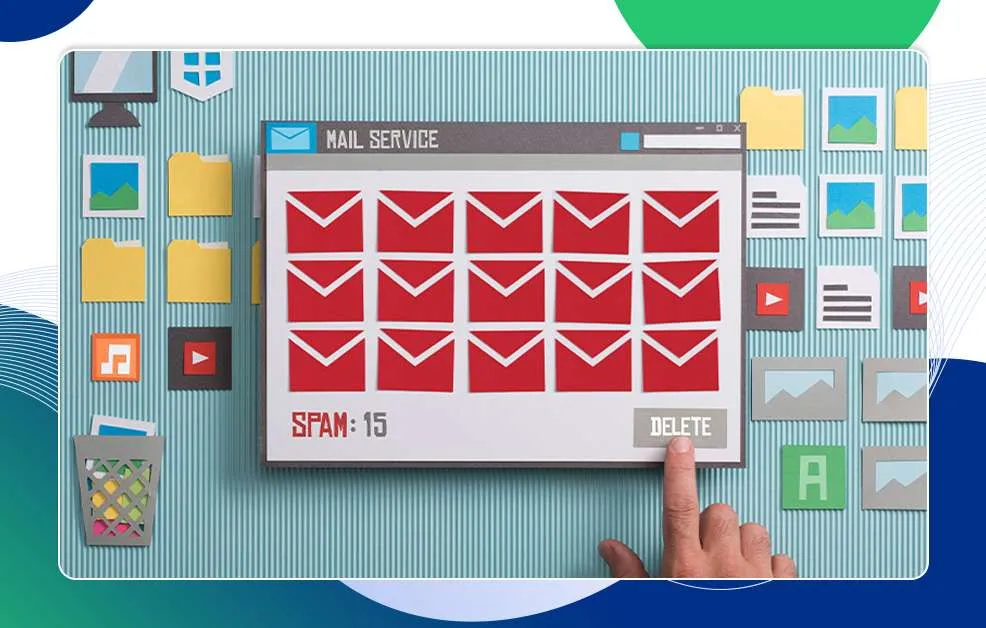
This is the unfortunate reality for many businesses. You don’t get customers from your email marketing efforts not because your message isn’t compelling but because it never even makes it to the inbox. According to Cisco's 2017 Annual Cybersecurity Report, two-thirds of global email volume is spam, and a significant portion of that is flagged as malicious. Yikes! Even if your email isn’t spam, there’s still a chance it could be filtered out if you don’t have a strong sender reputation.
For any business focused on email success, sender reputation is one of the most critical factors in email deliverability. In this article, we’ll explore why sender reputation matters, what factors impact it, and the practical steps you can take to ensure your emails land where they belong-in your customers’ inboxes.
What is Sender Reputation?
Sender reputation is essentially a score that email service providers (ESPs), such as Gmail, Yahoo, and Outlook, assign to you based on your email sending history. This score determines whether your emails will land in the inbox, go to spam, or get blocked entirely. A high sender reputation means a higher likelihood of your emails reaching the inbox, while a poor reputation can severely limit your deliverability.
Your reputation is affected by a range of behaviors, from the quality of your email list to how often recipients engage with your emails. Maintaining a positive sender reputation requires consistent attention and adherence to best practices in email marketing.
Why is Sender Reputation Important?
Higher Deliverability and Engagement
A strong sender reputation means higher deliverability rates, which directly affects engagement. Emails that consistently reach the inbox rather than the spam folder have higher open, click-through, and conversion rates, all of which are key performance indicators (KPIs) in email marketing. ESPs are like gatekeepers between you and prospective customers, and they will continue to send your emails to your prospects’ spam folders until you build a solid reputation.
By syncing your sequencers to Outreach Magic, you can track bounces, replies, and sender health without exporting CSVs every Friday.
Builds Trust with ESPs and Recipients
A positive sender reputation indicates to ESPs and recipients that your emails are legitimate, relevant, and welcome. ESPs are highly protective of their users and penalize senders who appear spammy.
Impacts Conversions and Revenue
Since email marketing often plays a significant role in lead generation and customer retention, poor deliverability can translate into lost sales. For e-commerce businesses and others heavily reliant on email for communication, a good sender reputation can directly impact revenue.
Factors Affecting Sender Reputation
To improve your sender reputation, it's essential to understand what impacts it. Here are some of the primary factors ESPs consider when evaluating your reputation:
Engagement Metrics
- Open Rates: Open rates measures how often recipients open your message. Mathematically, open rate = Number of emails opened by recipients / Total number of emails sent 100. Higher open rates signal to ESPs that your recipients are interested in your content.
- Click-Through Rates (CTR): A CTR indicates that recipients are really interested in your product or service. CTR measures the number of recipients that click on your links over the total number of recipients that receive your email. When you have a high CTR, a larger percentage of recipients click on your hyperlink or CTA button, telling ESPs that your email and content is valuable to your audience.
- Reply Rates: Reply rates measures the number of recipients that responds to your email. ESPs see replies as a sign of two-way communication. It’s important to encourage replies, as this can boost your reputation.
- Unsubscribe and Spam Complaint Rates: High unsubscribe or complaint rates can damage your reputation, and quickly. Unsubscribing is an action taken by recipients, and this tells ESPs that your recipients hate your content. It quickly puts you in the ‘SPAM’ category. While we advocate that your emails should contain an ‘unsubscribe’ link, always follow the rules of good email marketing to prevent recipients from unsubscribing.
Email Content Quality
Content that resonates with recipients reduces unsubscribe and complaint rates. Poorly written, irrelevant, or misleading content can lead to higher complaint rates, harming your reputation.
Quality of List
The quality of your email list has a significant impact on your sender reputation. Sending emails to invalid addresses or spam traps can damage your reputation. Regularly cleaning and updating your list ensures that you’re reaching engaged, interested recipients.
Authentication Protocols
Authentication protocols like SPF, DKIM, and DMARC help ESPs verify your identity, reducing the chances of your emails being flagged as spam. Without these, ESPs are more likely to view your emails with suspicion.
Sending Frequency and Volume
Sending too many emails in a short period or being inconsistent with your sending schedule can harm your reputation. It’s best to establish a steady sending rhythm that recipients expect and appreciate.
Improving and Maintaining Your Sender Reputation
Now that we understand what affects sender reputation, let's look at some actionable steps you can take to improve and maintain it.
Maintain a Clean Email List
Regularly audit and clean your email list by removing inactive addresses, duplicates, and invalid entries. Consider using double opt-ins (where recipients confirm their subscription via email) to ensure that the people on your list genuinely want to hear from you.
Sending Frequency
Finding the right frequency is key to engaging recipients without overwhelming them. Sending too often can lead to unsubscribes, while sending too infrequently can lead to reduced engagement. Experiment with timing and frequency to determine what works best for your audience.
Personalize Your Emails
Segment your email list based on demographics, behavior, or other criteria. Doing this ensures that you send only relevant content to different groups. For example, imagine sending an email campaign promoting high-end and luxury fashion items to a customer list that generally shop for budget-friendly items.
Beyond personalization, you must understand your audience. Where did you get your email list? What country do they reside? Can they even afford what you are offering?
A/B Testing
A/B testing lets you trial different versions of emails to see which resonates best with your audience. With A/B testing, you get to know your recipients better, and alter your emails to appeal to their needs and wants.
Authenticate Your Domain
Setting up authentication protocols like SPF, DKIM, and DMARC can protect your emails from being flagged as spam. These protocols validate your identity and help ESPs distinguish your emails from potential spoofing or phishing attempts.
Setting up authentication protocols for your email can be frustrating, especially if you are not tech savvy. Check out a list of tools that can simplify the process.
Monitor Feedback Loops and Remove Recipients Who Mark Your Emails as Spam
Feedback loops allow you to receive alerts about recipients who mark your emails as spam. By monitoring these, you can identify patterns, remove recipients who consistently mark your emails as spam, and adjust your content to better align with your audience’s preferences.
Improve the quality of your email content
- Personalize the content, Use recipient’s name and tailor the message.
- Keep it clear, relevant, and engaging.
- Short and direct messages often perform better.
- Authenticate sender information, Ensure DKIM, SPF, and DMARC are set up.
- Avoid spammy language like free and urgent. Recipients get turned off by spammy languages and ESPs can de-rank or block your emails if you consistently send such content.
- Use a clear call-to-action (CTA)
- Simple and clean designs work better.
- Run your content through spam checkers.
- Proofread for typos, grammar, and tone.
- Always include an unsubscribe link.
Conclusion
Still exporting from Smartlead or Instantly every week to check reputation? Connect the webhook once and let replies and bounces sync into a SQLite file on your machine. Outreach Magic is free for 1,000 webhook events a month.
Track Reputation Signals Without Exporting Anything
The six signals that actually move your reputation — hard bounces, soft bounces, spam complaints, unsubscribes, reply rate, and click rate — all live inside your sequencer. The problem is getting them out without a weekly CSV routine.
Outreach Magic syncs every bounce, reply, and unsubscribe event from Smartlead, Instantly, HeyReach, PlusVibe, and EmailBison into a local SQLite database on your machine as they happen. Your AI agent reads the same data your dashboard shows — but you ask it questions instead of clicking around.
If your bounce rate is creeping up on a specific campaign or a new sender domain, your agent catches it before you do:
- "Which campaigns have a hard bounce rate above 3% this month?"
- "Which senders generated the most unsubscribes last week?"
- "Show me reply rate by campaign — I want to find what's actually working."*
Setup takes about 3 minutes per sequencer. Install Outreach Magic free and connect your first sequencer with a webhook — no new software, no per-seat dashboard, just your pipeline data on disk.
---
Tired of exporting CSVs to check bounces and replies? Start free trial · See pricing · Smartlead integration · Instantly integration